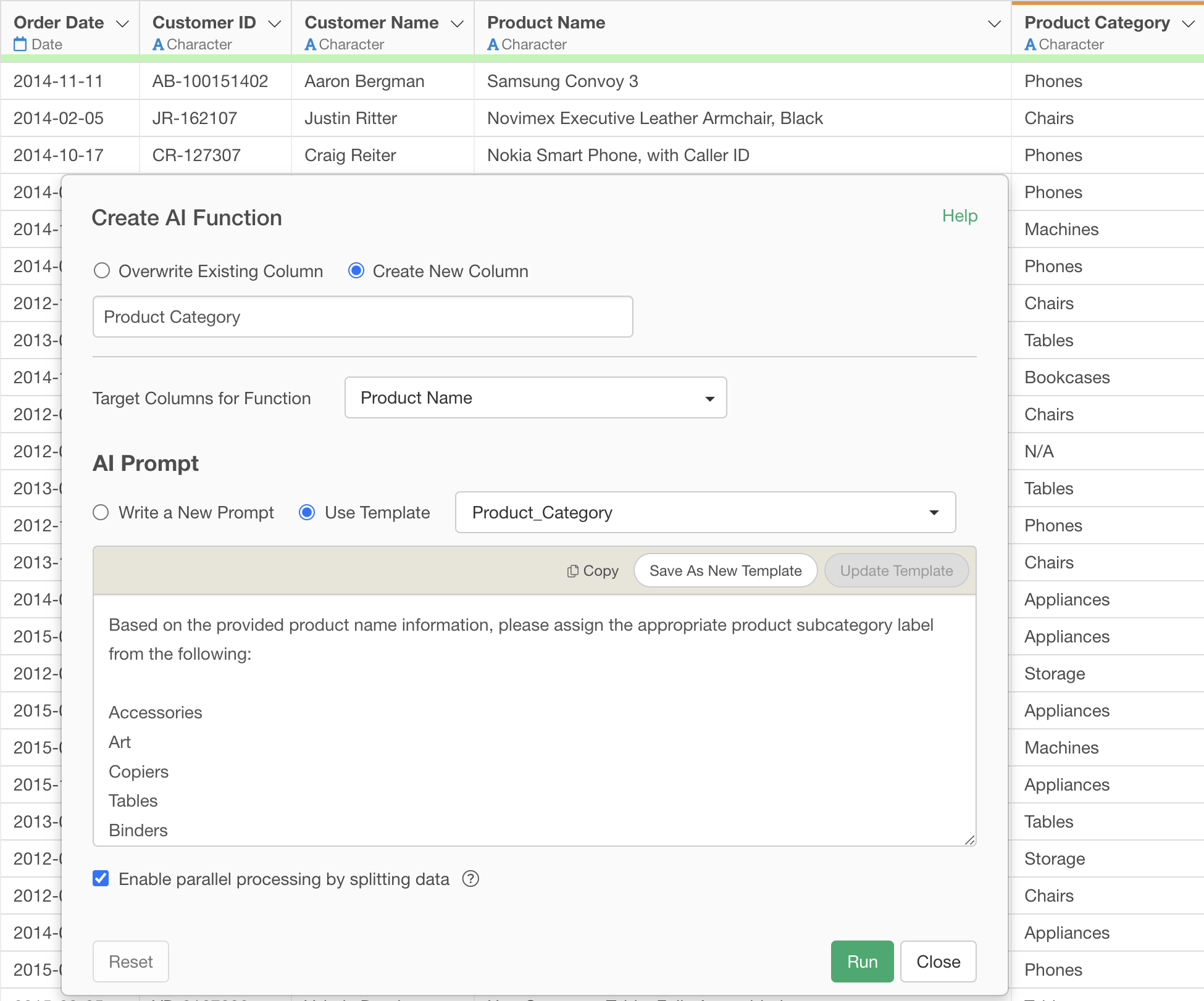
Automating Category Classification (Labeling) from Product Names with AI Functions
Classifying categories from product names or other naming information is a time-consuming and labor-intensive challenge for many companies.
- Inefficiency of Manual Classification: Manually classifying new products into appropriate categories each time they are added is extremely cumbersome. As the number of products increases, this task becomes enormous, putting pressure on other important operations.
- Lack of Classification Consistency: When multiple people perform manual classification, differences in interpretation can lead to inconsistencies in classification criteria. This reduces the accuracy of data classification.
- High Barrier to Adopting Advanced AI Technology: Building machine learning models for automated classification requires programming skills and specialized knowledge. For many business users, these technical hurdles are high, often leading them to give up on AI utilization.
What are AI Functions?
“AI Functions,” newly introduced in Exploratory v14, solve these challenges and enable anyone to create AI-powered functions. Without any programming knowledge, you can easily create custom AI functions by simply writing instructions (prompts) in your own words.
This feature leverages state-of-the-art AI in the backend, allowing users to enjoy its powerful analytical capabilities without the hassle of complex setup or AI model building.
The AI makes individual judgments for each data row and returns the results as a new column, making it possible to classify categories for each product name.
Performing Labeling from Product Names
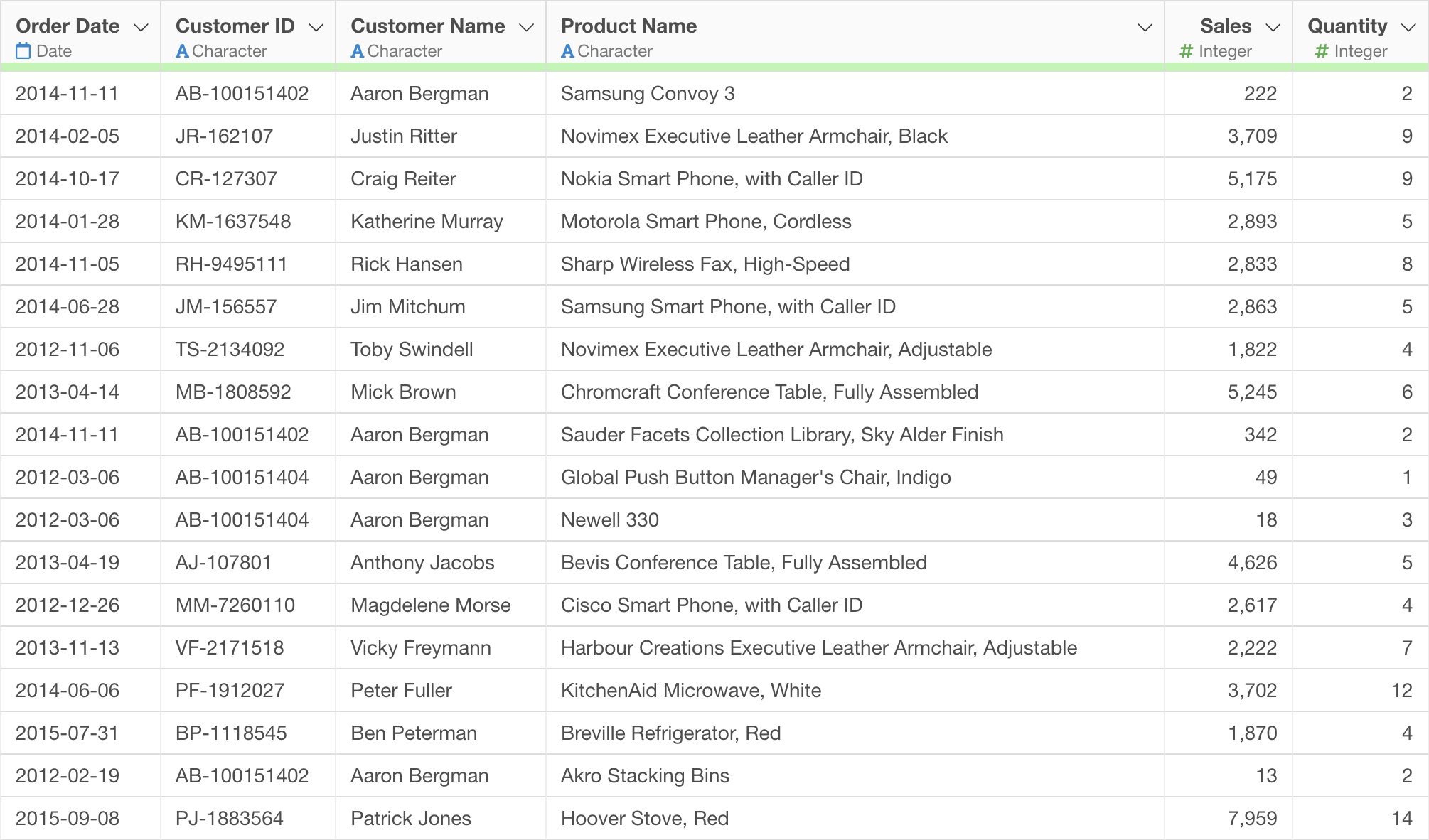
Here, let’s look at how to perform “labeling from product names” using AI Functions as a concrete example.
You can download the data to use from here.
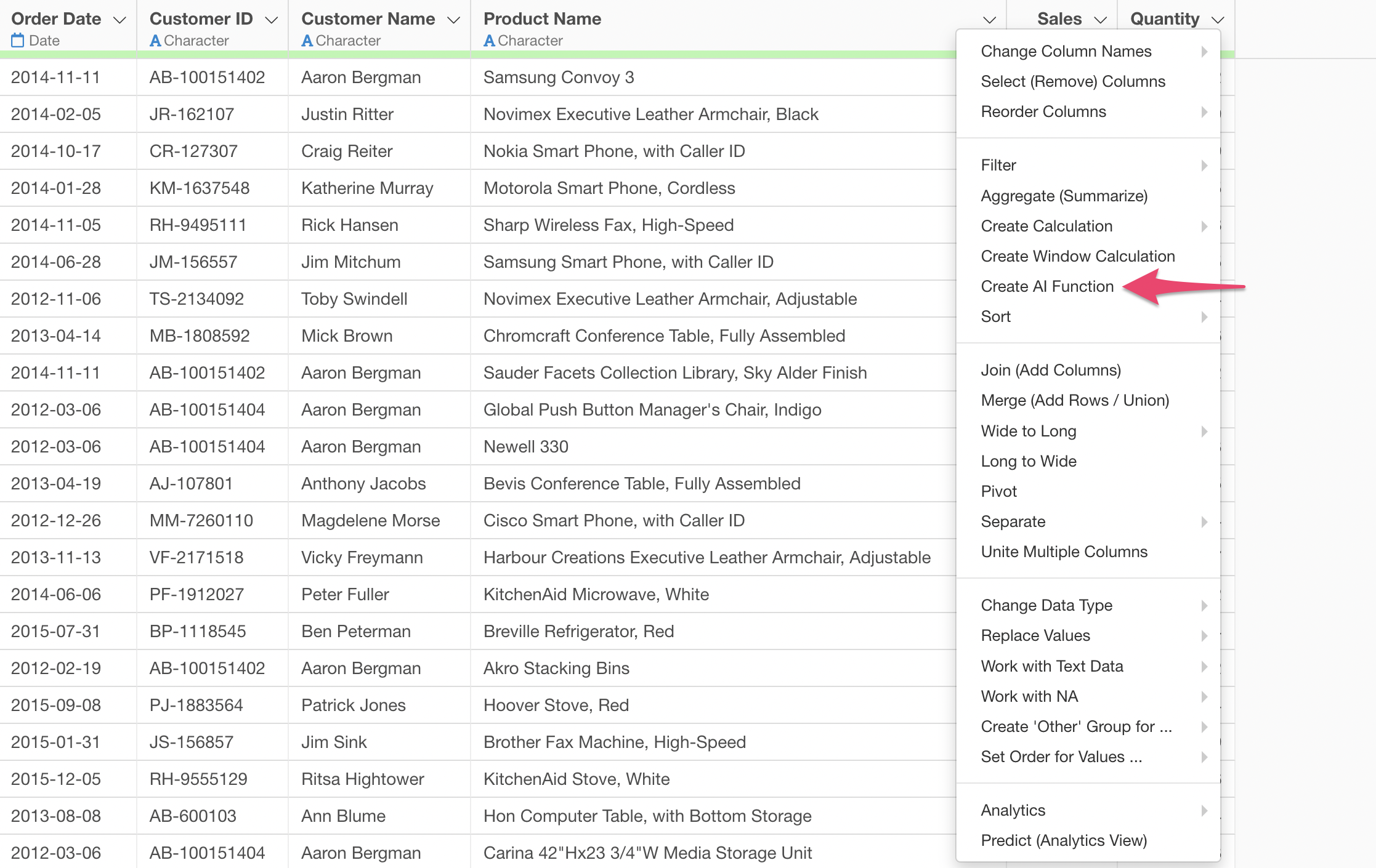
Select “Create AI Function” from the column header menu.
This will display the AI Function dialog.
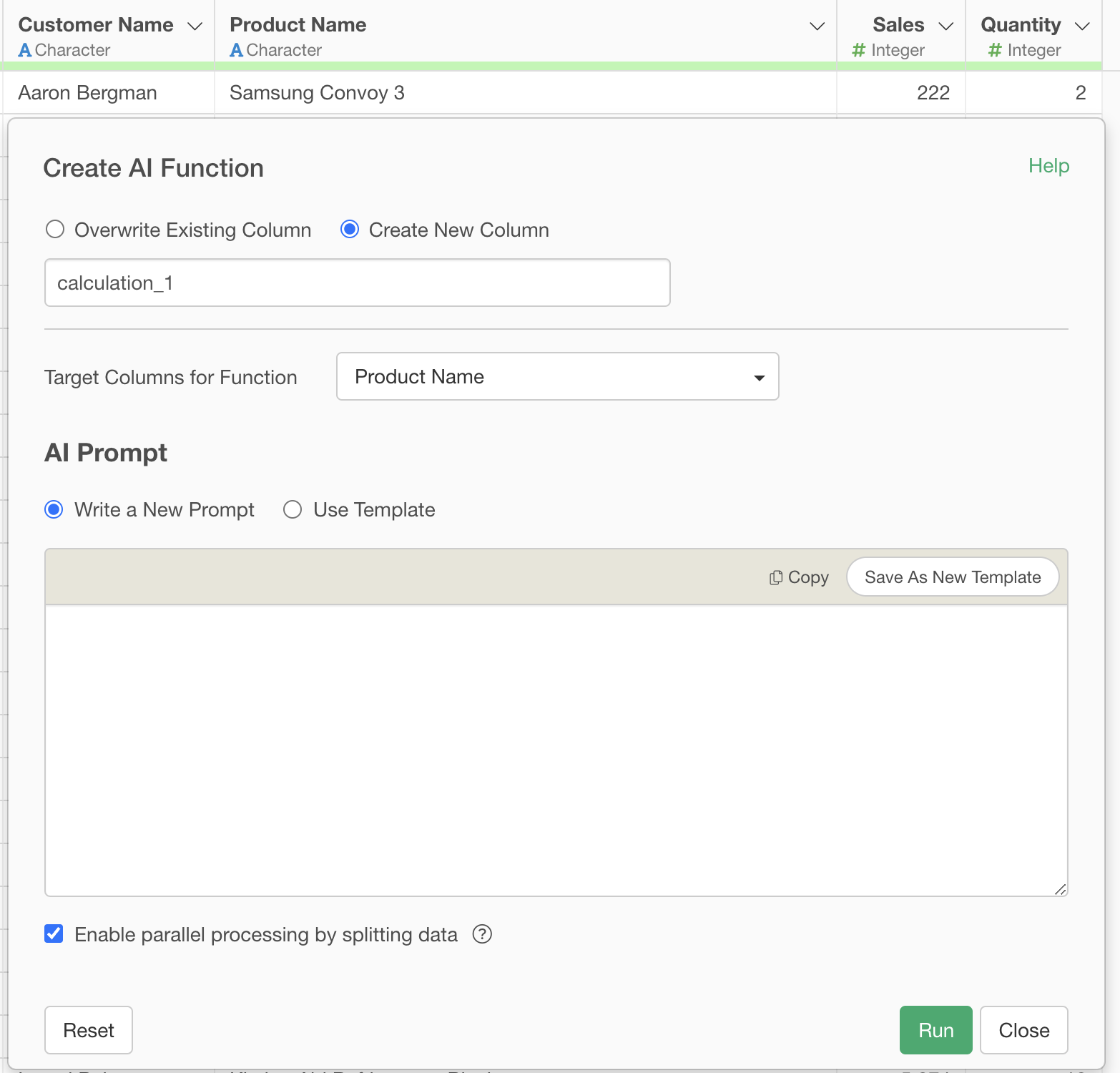
Execute by specifying the following in the prompt:
Based on the provided product name information, please assign the appropriate product subcategory label from the following:

Accessories
Art
Copiers
Tables
Binders
Fasteners
Labels
Cutting Supplies
Storage
Appliances
Envelopes
Phones
Bookcases
Chairs
Machines
Paper
Furnishings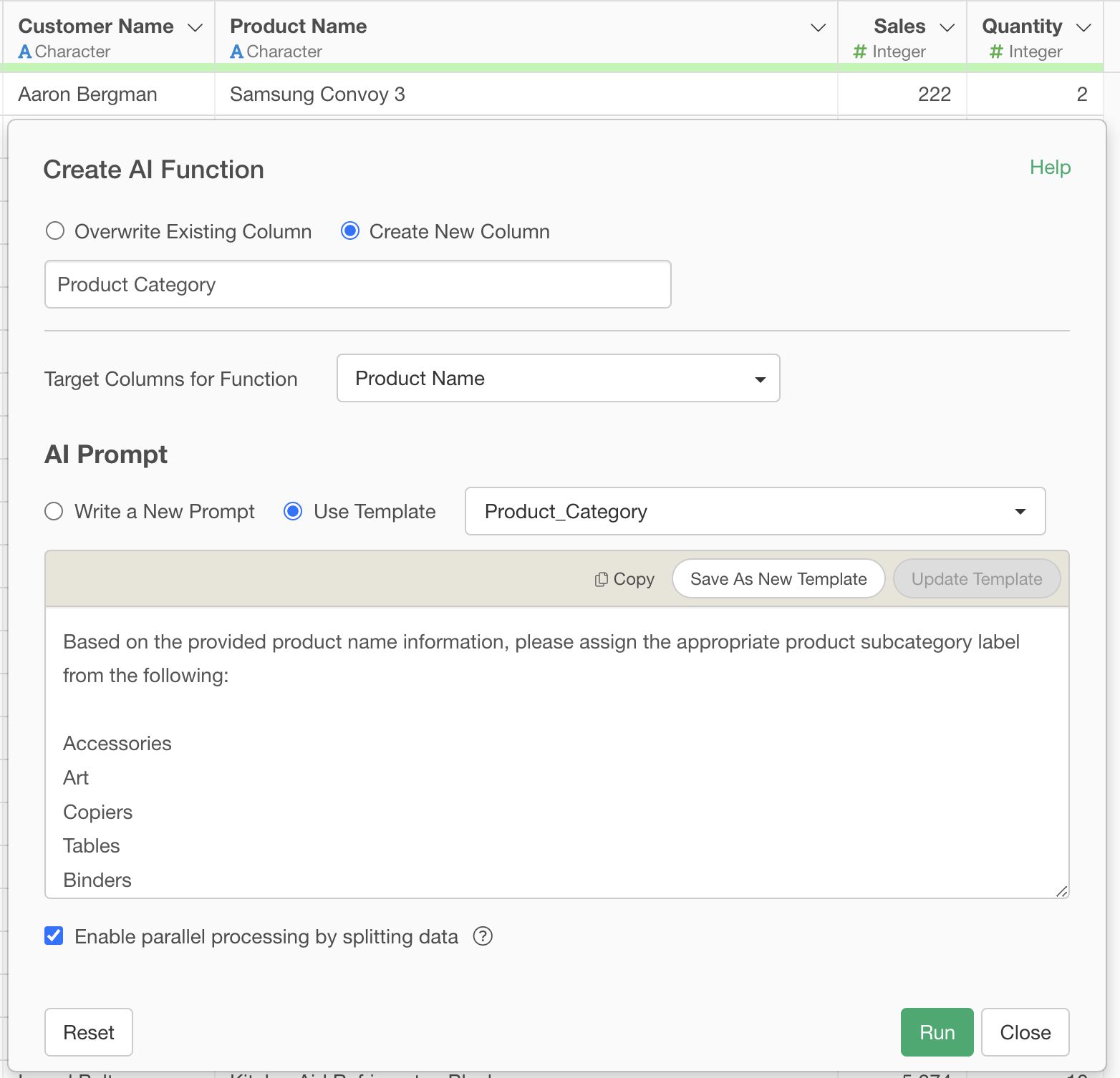
When this prompt is executed, the AI automatically assigns the most appropriate label from the specified category list (e.g., Home Appliances, etc.) based on the provided product names.
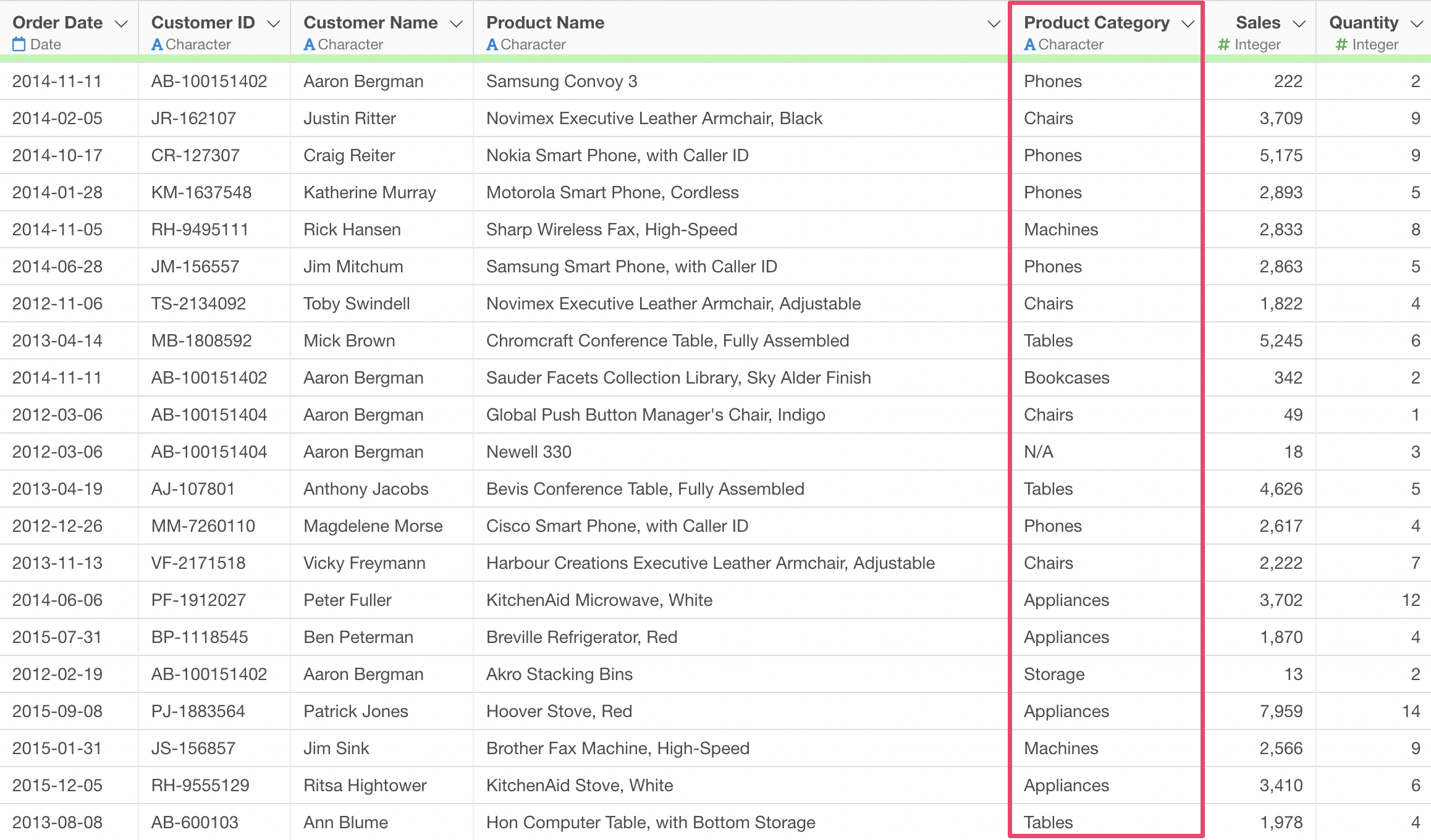
This allows product classification, which previously required significant time and effort for manual work, to be performed instantly and consistently with the power of AI.
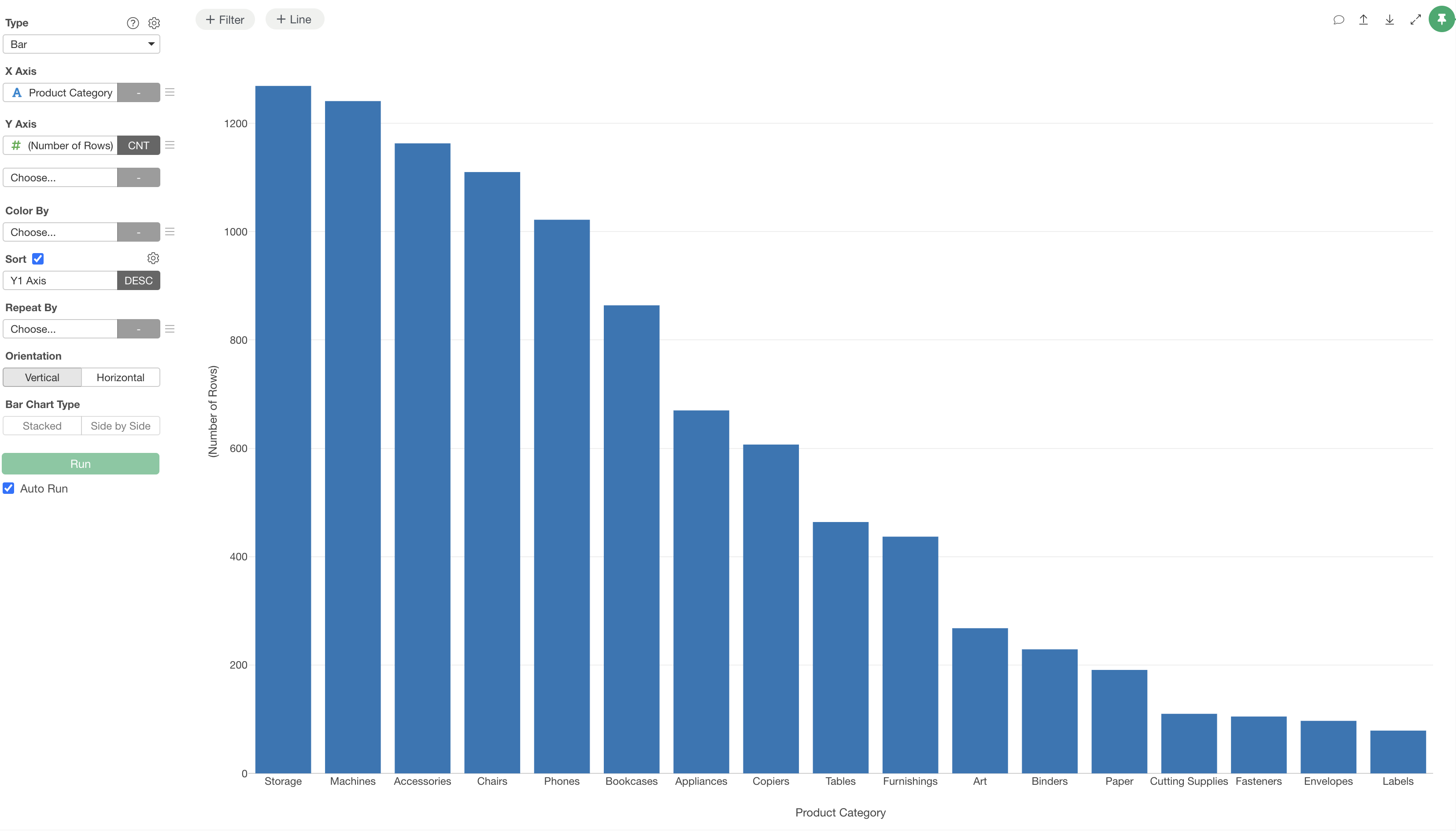
Once categorized, it becomes possible to visualize how many items fall into each product category.
Summary: The Era of Easy Product Name Labeling with AI Functions
“AI Functions” in Exploratory v14 revolutionize data analysis.
- Create AI functions in your own words without programming: No need to write complex code; you can freely create AI functions tailored to your business needs by simply giving instructions in natural language.
- Utilize world-leading AI for your own data: The latest AI technology is directly applied to your data, enabling advanced analysis and automation that was previously impossible.
- Advanced analysis, once a privilege, is now accessible to everyone: Anyone, not just data scientists or programmers, can benefit from AI and extract new value from data.
Ready to Experience It?
Exploratory v14’s new features, including “AI Functions,” have the potential to dramatically transform your data analysis workflow. Experience its power for yourself and expand your business possibilities.